Saturday, April 29, 2017
6 Cara Mudah Memerahkan Bibir tampak Alami
6 Cara Mudah Memerahkan Bibir tampak Alami
Cara Memerahkan Bibir - Memiliki bibir yang merah alami merupakan suatu kebanggaan tersendiri, sehingga semua orang mencari-kesana kesini guna memperoeh yang diinginkan, akan tetapi kurang tepat jika orang mencari Cara Memerahkan Bibir secara instan, karena akan berdampak pada waktu yang akan datang atau bahkan menimbulkan cacat permanen untuk itu anda jangan bertndak gegabah karena dalam kali ini admin ini akan memberikan tentang cara memerahkan bibir secara alami, sehingga efek samping yang ditimbulkan tidak ada alias 0, tapi ingat anda haru melakukan cara-cara dibawah scara rutin untuk hasil yang sempurna.

Sekilas mengenai penyebab hitam pekatnya bibir kita disebabkan oleh beberapa faktor salah satunya seperti mengkonsumsi kopi, Pancara sinar matahari, merokok, penggunaan lipstik berlebihan dan faktor lahir.
Sebelum mencoba menerapkan cara memerahkan bibir secara alami sebaiknya anda sadari bahwa memerahkan bibir bukanlah hal yang instan, apalagi menggunakan bahan alami. Namun cara tersebut sudah dibuktikan banyak wanita, jadi pastikan anda pantang menyerah untuk melakukan cara tersebut. Baiklah langsung saja simak berikut ini beberapa tips memerahkan bibir yang hitam.
Cara Memerahkan Bibir
1. Menggunakan air mawar2. Madu
3. Minyak zaitun
Untuk cara 1, 2, dan tiga yaiatu sama dalam penggunaanya Caranya dengan oleskankan bagian bibir anda menjelang tidur malam dan biarkan saja sampai anda bangun tidur, baruah setelah itu berihkan dengan air bersih, lakukan cara ini secara rutin saat hendak tidur ya...!!!
4. Jeruk nipis dan madu
Untuk cara ini anda lakukan dengan mencampurkan dua bahan tersebut tetapi dengan ukuran air perasan jeruk nipis sekitar dua sndk makan kira-kira 1 jeruk saja lalu, 2 sndk makan madu, air panas secukupnya. Setelah bahan tercampur semua aduk sampai rata kemudian oleskan pada bibir anda. diamkan terlebih dahulu kira-kira 10 menit saja cukup, lalu bilas dengan air bersih, atau menggunakan air hangat biar cepat hilang
5. Daun ketumbar
caranya dengan menghaluskan 2 lbr daun ketumbar ditambah dengan air seperlunya lalu oleskan pada bibir setelah itu Diamkan saja selama 15-20 menit dan bilas.
6. Alpukat dan minyak zaitun
Ambil seperlunya buah alpukat kemudian campurkan dengan minyak zaitun sekitar 2 tetes saja. Setelah tercampur, oleskan pada bibir lalu didiamkan sekitar 5 menit, setelah itu bilas.
Mungkin cara dan tips mengenai cara memerahkan bibir secara alami diatas kurasa cukup. ambil salah satu cara diatas lalu praktekkan dalam jangka wakt 1-2 minggu dan lihat hasilnya beberapa minggu kemudian. Selamat dicoba ya...!!!
Available link for download

Sunday, April 9, 2017
»» Corel Draw Tutorials Part 6
»» Corel Draw Tutorials Part 6
It is really a nice experience to work with Corel Draw. But to know much about it, we have to be aware of some useful tricks and tips about using the Corel Draw. I have identified some useful Corel Draw Tutorials across the net. Check this out and make use of this...
- Blossoming Ideas for Cool Distortion Effects
- Creating GEL Text
- How to convert shadows to spot ink colors and set shadow resolution
- How to create chisel effects in CorelDRAW 11: Part 1
- How to create chisel shapes: Part 2
- How to draw mechanical threads
- Learning Corel R.A.V.E. from scratch
- Mastering CorelDRAWs Mesh Fills
- Mastering Tweens in Corel R.A.V.E.
- Node Editing: The Basics
- Practical Perspective techniques CorelDRAW 11
- The Color Wheel: Neon
- Using Powerclips
Available link for download
Saturday, March 18, 2017
6 alasan untuk tidak membeli iPhone 6
6 alasan untuk tidak membeli iPhone 6
1. Harga yang mahal

2. Desain yang “original”
3. Inovasi Apple yang kurang relevan di Indonesia

Bro, ada Apple Pay di iPhone 6. Dan Siri sekarang makin pintar.
4. Deal with it, iPhone bukanlah smartphone terbaik

5. Jangankan yang terbaik, iPhone 6 serasa mengekor Android

Beberapa hari terakhir banyak sekali meme yang mengejek iPhone 6. Meskipun lucu, namun beberapa ada yang membuat kita sedikit berpikir dan membenarkan apa yang tercantum di dalam meme tersebut. Salah satunya adalah spesifikasi iPhone 6 yang sama seperti yang dimiliki Nexus 4 yang dirilis pada tahun 2012.
6. After sales service yang memble

Oke, Apple dikabarkan sudah memiliki sebuah kantor cabang di Indonesia. Akan tetapi, mereka belum memberikan pengumuman apapun apa manfaat dari kantor itu. Semoga saja kantor itu akan bisa membantu performa after sales service Apple di Indonesia.
Bagaimana tidak, saat ini semua proses servis produk Apple masih ditangani distributor resmi seperti iBox, Infinite, dan Emax. Dan semua suku cadangnya masih harus diimpor dari Singapura! Jadi Anda sudah harus siap menunggu beberapa waktu – bahkan bisa hingga enam bulan – hingga gadget Apple Anda yang mahal bisa selesai direparasi atau digantikan sepenuhnya.
Anda tidak akan menjumpai masalah yang serupa dengan merk handphone lainnya seperti Samsung dan Nokia. Mereka memiliki suku cadang di Indonesia dan akan bisa memperbaiki gadget Anda yang rusak dengan cepat… setidaknya lebih cepat daripada Apple.
Alasan-alasan di atas mempunyai beberapa poin yang bisa diambil dan dibenarkan oleh Anda. iPhone memang smartphone terlaris di dunia untuk saat ini. Dan kami disini bukan bermain sebagai seorang penjahat yang ingin menjatuhkan iPhone. Namun, selain sisi plus dari sebuah perangkat, mereka pasti selalu mempunyai sisi minus, bukan?
Available link for download
Thursday, March 2, 2017
6 Best Plugins for Displaying Related Posts in Wordpress
6 Best Plugins for Displaying Related Posts in Wordpress
Related posts simply picks up different posts from the labels you have applied on your current posts and helps you to maintain relevancy with the posts your blog reader is viewing. Adding related posts in your blog is very essential for making your readers to stay on your blog for a long time and boosting your website traffic by decreasing that bounce rate. I have earlier posted two different ways to display random posts in your blogger blog, well random posts are also necessary and very much efficient in increasing your blog views.
Available link for download
Thursday, February 9, 2017
Actual Window Manager 6 7 Keygen
Actual Window Manager 6 7 Keygen
 Akhirnya.. bisa update juga nih ,, Maaf ya kalo sudah lama gak update karena kesibukan yang melanda saya .. hahaha .. Kali ini saya akan membagikan Actual Window Manager 6.7 + Keygen. Sebelum tu saya jelasin dulu deh .. Actual Window Manager 6.7 merupakan sebuah software yang memiliki puluhan multifungsi untuk memodifikasi tampilan jendela windows menjadi simple dan mudah digunakan. kita semua tau jendela aplikasi standart windows hanya menampilkan 3 pilahan yang ada di atas pojok kanan (minimize,maximize/rrestore dan close), dengan menggunakan Actual Windows manager akan menampilkan 7 pilihan.
Screenshot :

Aplikasi ini kompitable dengan Windows 7/Server/Vista/2008/XP/2003/2000 x86/x64, tapi sayangnya aplikasi ini tidak gratis. Kita hanya dapat menggunkannya Trial selama 60 hari, tapi jangan khawatir saya sudah menyediakan Keygennya biar anda bisa pake selamanya .. hehe
Bagi yang mau coba silahkan di liat :
Download AWM 6.7 + Keygen
Selamat Mencoba !!
Available link for download
Monday, December 19, 2016
6 Most Expensive Cars In The World Today December 2015
6 Most Expensive Cars In The World Today December 2015


Available link for download
Saturday, December 10, 2016
Acer Aspire E 15 15 6 Full HD
Acer Aspire E 15 15 6 Full HD

Product Description
Core i5 Acer Aspire E5-575G-53VG comes with these high level specs: 6th Generation Intel Core i5-6200U Processor 2.3GHz with Turbo Boost Technology up to 2.8GHz, Windows 10 Home, 15.6" Full HD Widescreen LED-backlit Display, NVIDIA GeForce 940MX with 2GB of dedicated DDR5 VRAM, 8GB DDR4 Memory, 256GB SSD, 8X DVD-Super Multi Double-Layer Drive (M-DISC enabled), Secure Digital (SD) card reader, Acer True Harmony High-Performance Sound System, 802.11ac Wi-Fi featuring MU-MIMO technology, Bluetooth 4.1, Gigabit Ethernet, HD Webcam (1280 x 720) supporting High Dynamic Range (HDR), 1 - USB 3.1 (Type C) port, 2 - USB 3.0 ports (1 with power-off charging), 1 - USB 2.0 Port, 1 - HDMI Port, 6-cell Li-ion Battery (2800 mAh), Up to 12-hours Battery Life, 5.27 lbs. | 2.39 kg (system unit only) (NX.GHGAA.001)
Available link for download
Wednesday, December 7, 2016

Wednesday, November 9, 2016
6 Cara Cepat Mengatasi Wifi Laptop Yang Sering Kali Tidak Berfungsi
6 Cara Cepat Mengatasi Wifi Laptop Yang Sering Kali Tidak Berfungsi

Cara Cepat Mengatasi Wifi Laptop Yang Sering Kali Tidak Berfungsi
Available link for download
Tuesday, November 8, 2016
»» Illustrator Tutorials Part 6
»» Illustrator Tutorials Part 6
1. Stylish Vector Flower
Learn how to create stylish vector/line flower with Illustrator Blend Tool. This Adobe Illustrator tutorial is great for creating background and large print illustration.
 2. Realistic Digital Watch
This tutorial teaches us about the Drawing of a Clock in Illustrator Tutorial. It is really nice especially the shape and the glossy effect of buttons. Just try this out....
 3. Clouds
Do you wanna make a natural scenery? Do you dont have idea of drawing clouds in Illustrator? Then try this one...
 4. Folder Icon
Here we will see about how to create a cool folder icon in Photoshop! You don’t even have to touch the pen tool!

Available link for download
Monday, October 31, 2016
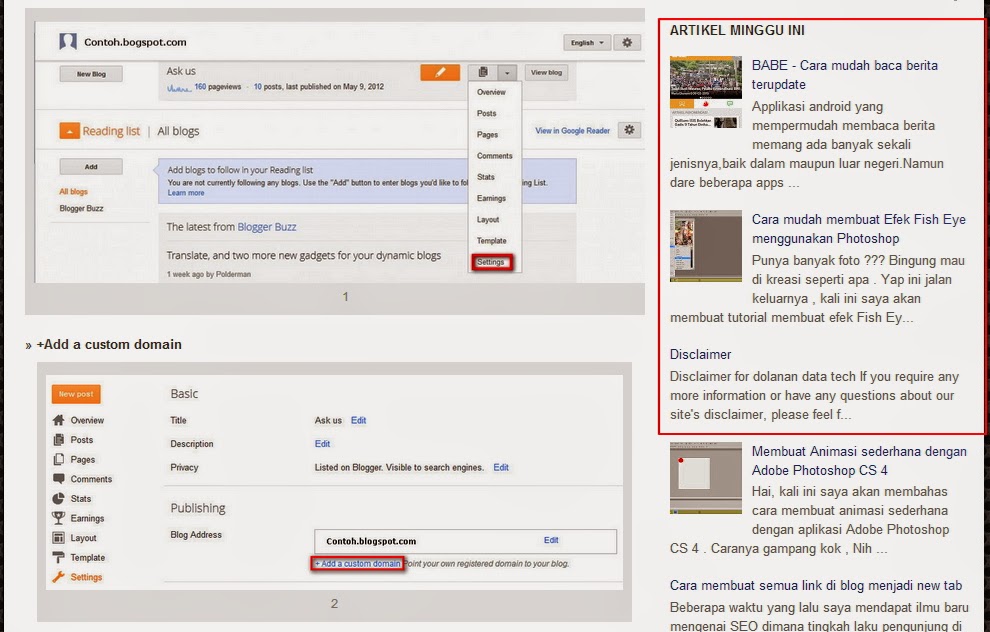
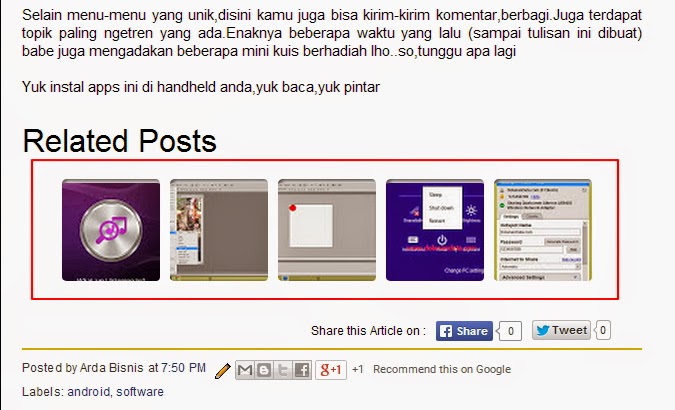
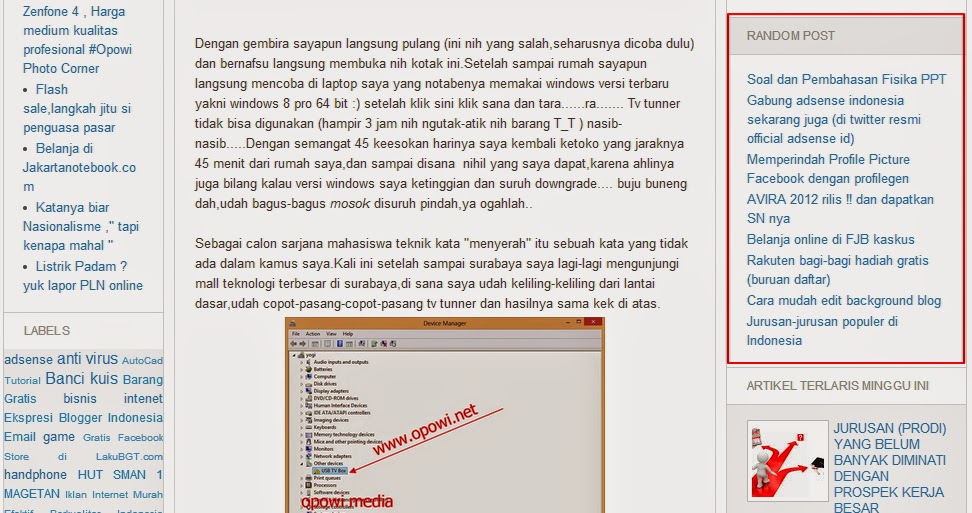
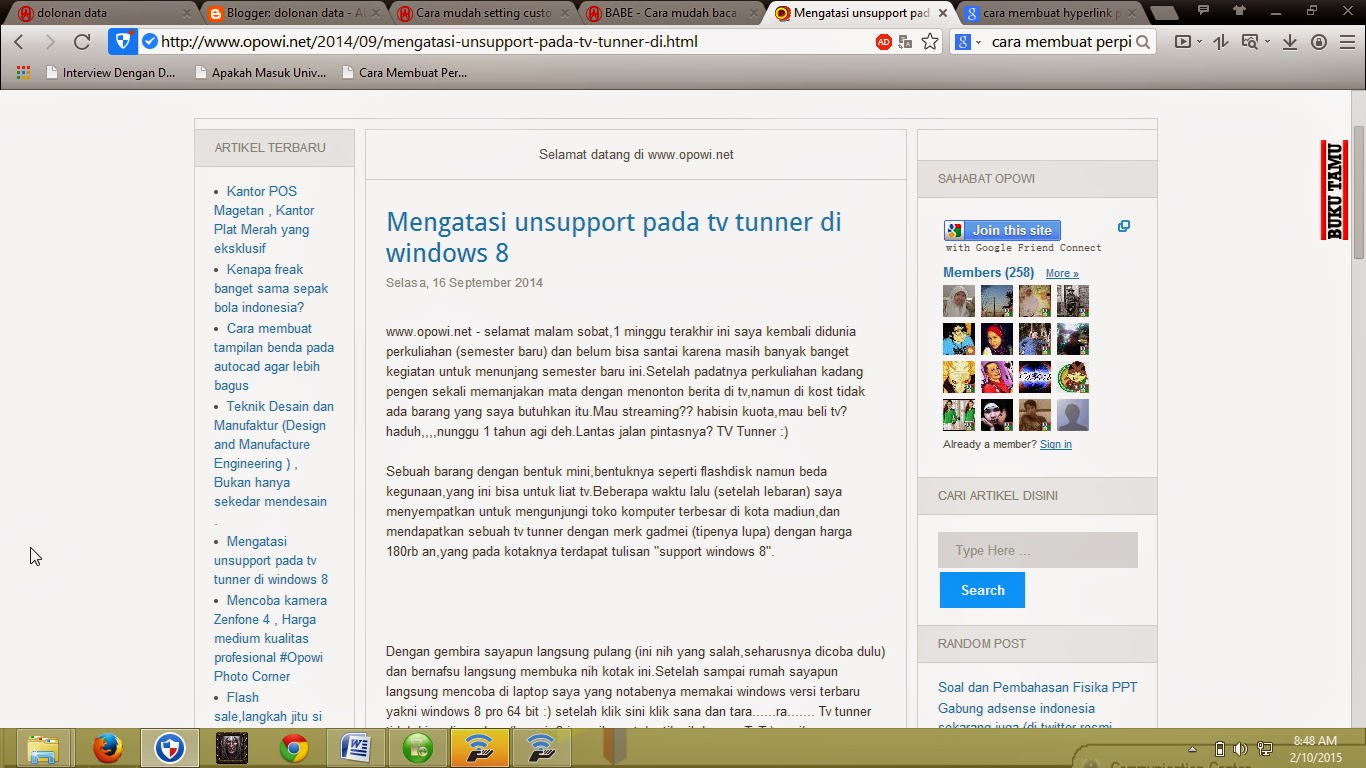
6 cara mengoptimalkan Navigasi blog untuk SEO dan Menjaring pengunjung
6 cara mengoptimalkan Navigasi blog untuk SEO dan Menjaring pengunjung


Available link for download
Wednesday, October 26, 2016
ACDSee Pro 6 2 Build 212 Full Keygen
ACDSee Pro 6 2 Build 212 Full Keygen
Description
ACDSee Pro 6.2 Build 212 (x86-x64) + Keygen
ACDSee Pro 6.2 Build 212 Full Keygen | 70.9 MB
Packed with new features requested by professional photographers and advanced amateurs, ACDSee Pro 6 has everything you need to perfect your images, fast. Carry out digital asset management and all the essential tasks of your photography workflow, from import to final presentation, in one complete solution. Add in a powerful RAW 64 processing engine, improved color management, and more nondestructive processing tools--all running in a native 64-bit application thats Windows 8 compatible--and youll quickly see the difference in your images. Achieve stunning results, stay organized, save time. ACDSee Pro 6 gives you total photography control.
FEATURES
Take control of all your digital image assets:
• Whether you have thousands or tens of thousands of photos, an organized collection allows you to work smarter and faster. Your foundation for an effective workflow is digital asset management. ACDSee can handle both catalog- and browser-based workflows so you can manage your digital assets any way you like.
Hit the ground running:
• Why spend time importing your photos to a separate library when you dont have to? ACDSee connects you directly to the live folder tree on your computer so you can browse and work on your files without delay.
Streamline digital asset management:
• ACDSee is packed with time-saving photo management tools. Organize your photos as you import them from your camera or storage device. Catalog files for improved speed and performance. With NEW Batch Export, simultaneously perform a range of workflow steps. Convert formats and color space, resize and change filenames on batches of images. Customize your workspace to suit your individual style, and configure access to external editors with seamless simplicity.
Manage with flexibility:
• Organize your entire collection with ACDSees full support for EXIF, IPTC and XMP metadata. Set and edit information about your photos in accordance with IPTC Core 1.1 industry standards. Save time by modifying metadata for groups of photos at once, and creating presets for ongoing use. Add ratings, keywords, categories, color-labels (NEW!) and location data to your images for the ultimate in digital asset management.
Find images:
• Tap into ACDSees powerful array of search tools to quickly retrieve the photos you want. Find images based on metadata, file properties, date, event, keyword, ratings, color-labels and GPS location data. Build and save detailed searches. Filter, group and sort your results to quickly find that one photo you really need.
Ratings:
• Assign a rating of 1-5 to your images to help keep track of your best shots. The value you assign to your image in will be correctly applied in other applications you use; a 5 rating in ACDsee (the best!) is a top rating everywhere you upload.
Protect your Privacy:
• Use the Remove Metadata tool to keep your proprietary information private by stripping EXIF and IPTC metadata to protect the details of your locations, camera settings and equipment choices.
Present and preserve your work:
• Share your shots through e-mail services such as Gmail and Yahoo! Mail Plus, and upload to flickr, SmugMug, and Zenfolio. Conveniently optimize and upload images to web spaces you manage through FTP. Design and present slideshows of your images. Protect your work by archiving your collection to .zip folders or on disc, and backing up to external hard drives.
View your images, any way you want, fast:
• Put your photos front and center with ACDSees renowned viewing speed. View modes flexibility lets you appreciate your images in full screen or examine the finest details at pixel level. From JPEG to RAW, you can count on ACDSee Pro to display your photos exactly the way you want, fast. And you’ll be viewing your images in real time, from their original locations.
Examine details:
• Get up close and personal with your photos. Study your images using an arsenal of Zoom, Navigator, Magnifying Glass, and Histogram tools. See your images at full resolution with a single click.
Tag your shots:
• Accelerate your workflow by marking images for culling, processing, or further workflow steps with one-click visual tagging.
See and sort:
• Organize images as you review them. Categorize, add ratings and color-labels, and edit metadata on the fly.
• ACDSee supports over 100 different file formats, and RAW format support from new camera models is regularly added.
Stay focused as you scan:
• Flip quickly between images using the filmstrip window, and know exactly where you are within a large group of files.
Bring out the absolute best in your photos:
• ACDSee’s Develop mode is your non-destructive workshop where you can process your RAW images and apply non-destructive adjustments to your JPG and TIFF files. With the flexibility of ACDSee’s non-destructive editing, you’ll arrive at your desired result quickly and safely.
Get the best RAW results:
• See incredibly accurate default color, contrast and exposure right from the start of your RAW processing workflow. A wide RGB color gamut preserves your cameras vibrant colors for true-to-life representation. With color management control, you can be confident that what youre previewing reflects the desired color and tone of your RAW conversion.
Tune your images:
• Get the correct white balance, color, exposure and tonal distribution for your images in Develop mode. Add vibrance while protecting skin tones, and adjust saturation, brightness and hue on a color-by-color basis. Fine tune tonal distribution with the combined Tone Curves and Levels tool. Avoid color clipping during RAW conversion by leveraging your images histogram.
Get it Straight:
• Adjust geometry, and fix perspective, distortion and lens vignetting with full control over pixel size and resolution.
Reduce Noise:
• ACDSees advanced noise reduction algorithm lets you control different aspects of noise with the luminance and color sliders.
Achieve HDR Results with a single exposure:
• Get amazing single-exposure HDR results from your RAW images using the Lighting tool, powered by ACDSee’s patentedLCE (Lighting and Contrast Enhancement) technology.
Smarter Sharpening:
• A new user-controlled edge detection mask slider lets you focus the sharpening effect more to edges and textures without amplifying any pre-existing noise in areas with little detail.
Split Toning:
• The new Split Toning tool gives you complete control over the balance of tones in the shadows and highlights of a given scene, opening up a world of creative possibilities. Create sepia or tinted black & white, or add a tinted color to highlights and another to shadows to create a dramatic toning effect.
Perfect every color:
• Adjust saturation, brightness and hue on a color by color basis with Advanced Color, and leverage the information provided in the Histogram and Clipping Display overlay windows to perfect your images.
Contrast control:
• Gain the ultimate in contrast control with the combined Tone Curves/Levels tool. Use the Luminance Histogram to apply curves or to adjust the black-point, midpoint and white-point.
Bring out the best in your photos:
• Once your global non-destructive adjustments have been completed, add finishing touches at the pixel level to create brilliant images. Remove flaws, repair red eye, and add watermarks, text and vignettes with ease. Edit specific areas of images with Selections tools, and experiment with peace of mind knowing you can revert to your Developed photo or your original image at any time. Simultaneously apply edits to multiple photos, for the ultimate in express editing.
Eliminate flaws:
• Easily remove red eye from your photos. Full controls in the Red Eye Reduction tool allow you to adjust the color and the intensity for a natural look. Plus magically erase flaws, blemishes and other unwanted objects with the Photo Repair tool’s powerful Heal and Clone options.
Achieve the best light and color:
• Rescue photos that are too light or too dark with the Lighting tool, powered by ACDSee’s LCE (Light and Contrast Enhancement) technology. Instantly lighten shadows and reduce highlights in one click, or adjust individual sliders to fine tune every aspect. Change the tonal range and color balance of your photos with easy-to-use adjustment tools.
Take your photography to the edge:
• The new Split Toning tool gives you complete control over the balance of tones in the shadows and highlights of a given scene, opening up a world of creative possibilities. Create sepia or tinted black & white, or add a tinted color to highlights and another to shadows to create a dramatic toning effect.
Special Effects:
• Apply and fine-tune a range of pre-set effects quickly and easily with the Special Effects palette, now including: Lomo Effect:
• Apply the popular Lomo effect to give an edgy, retro feel to your photos.
Collage Effect:
• Creatively display your photo in a collage of prints.
Orton Effect:
• Give an ethereal, pastel-like touch to your portraits and landscapes.
Frame your work:
• Add vignettes to your images and get creative results by blending the vignette with blend mode and opacity adjustments.
Put your photos to work for you:
• Using the new Drawing Tools palette to add lines and shapes such as squares, circles and arrows to draw attention to certain elements in your image. You can also adjust the width, feathering and blending of your brush to create subtle or dramatic drawing effects. The Text Overlay tool adds to the creative and practical possibilities.
Stake your claim:
• Claim ownership of your images by adding watermarks. ACDSee’s Batch Edit tool makes it simple to apply watermark overlays to groups of photos at once.
Publish your work:
• Easily share and protect all your files with your free ACDSee Online account, including 10 GB of storage space*. Drag and drop images - including your RAW files - from ACDSees Online mode to your free, personal space in the cloud. Use ACDSee Online as a backup source or share your images with select contacts, facebook and twitter or the rest of the world.
Manage your photos online:
• Simply drag and drop select images or folders directly from ACDSee to your ACDSee Online space. You can also set up automatic uploading of content from specific folders. Complete other workflow tasks while your files upload in the background. Easily organize your photos in your online space account using hierarchical folders. You can even apply the same organizational structure you have on your desktop.
Display beautifully:
• The simple, clean, advertising-free interface of ACDSee Online puts the attention squarely on your photos. Nothing will detract from the beauty of your images.
Control access:
• By default, your photos on ACDSee Online are private and secure. Keep them under lock and key, or create public albums to share with the world. You also have the option of setting passwords to grant access to a select audience, and giving them the ability to download images at full-size.
See your Stats:
• ACDSee Online lets you see view counts, views by day and highest ranked photos, at absolutely no charge.
Share socially:
• Extend the reach of your photos. From ACDSee Online, you can e-mail selected photos or entire albums. Upload to Facebook or tweet about your album on Twitter. Display your photos in full-screen slideshows and order prints directly via MyPix. Showcasing your photos has never been this effortless.
Store safely:
• Your images are safe on ACDSee Online. The service is powered by Amazon Web Services, the same reliable and secure infrastructure that backs Amazon.com and its worldwide network of sites.
TusFiles
ACDSee Pro 6.2 Build 212 Full Keygen - 32bit
Available link for download
Monday, October 24, 2016


Sunday, October 23, 2016
4Media HD Video Converter 6 0 12 0914 crack full free download
4Media HD Video Converter 6 0 12 0914 crack full free download
.jpg) |
| DOWNLOAD NOW |
Available link for download
Monday, October 10, 2016
โหลด DriverPack Solution 15 6 one2up
โหลด DriverPack Solution 15 6 one2up

Download
Available link for download
Friday, October 7, 2016
ACDSee Update Pro for Mac 3 6 2014
ACDSee Update Pro for Mac 3 6 2014
ACDSee Update Pro for Mac 3.6 2014
 |
ACDSee Update Pro for Mac 3.6 2014 |
ACDSee Update Pro for Mac 3.6 2014
Available link for download
Monday, October 3, 2016
6 Applications for BlackBerry free of pity if you do not download
6 Applications for BlackBerry free of pity if you do not download
Although at the beginning of this April RIM (Research in Motion), maker of BlackBerry, has opened up their App World, but because it is still limited to a few countries making BlackBerry users in most countries in the world can not enjoy it.
BlackBerry App World concept is not much different as what has been launched by Apple and Google for each of their products like the iPhone and Android. With the BlackBerry App World, you will be able to download the application straight to the BlackBerry. There are so many applications that are available there, many are free.
Due to the new BlackBerry App World is only available for certain countries only, but that does not mean you let your BlackBerry so empty without additional applications. Unfortunately not.
And under this there are 6 free application for BlackBerry that unfortunately if you miss you can download and install directly from the website.
1. Viigo
Currently almost all websites have RSS feeds (Really Simple Sindication) feed that allows the reader to read the news / content there without having to type in the URL. And thats the function of Viigo, RSS Reader, a mobile application that provides instant access to all websites that have RSS feeds. Viigo also supports Google Reader service so popular. Select Viigo Standard Edition (SE) is free when you visit the website.
2. Beyond411 Local Search
Although it is enough to find through Internet search sites like Yahoo, but what is given by Beyond411 Local Search far from it. This application has the ability to look any further pages indexed by Yahoo as local business listings, online telephone directories, maps and more. It also can estimate the driving directions or use GPS to determine location.
3. WorldMate Live
Is a mobile service that is reserved for those who frequently travel by automatically sending content to users. This application will provide information about hotels, flight schedules and everything associated with travel plans are going to do.
4. Google Maps
Who is not familiar with Google? With a variety of free services it has, Google has always tried to give the best for its users. And one of them is Google Maps, mobile map applications that provide location information by or using GPS. In addition this application also provides satellite images from Google Earth.
5. Facebook for BlackBerry
You include people who can not be separated from Facebook? If you include a junkie up then just download the Facebook application for BlackBerry so youre always connected with Facebook where you just connected.
6. TwitterBerry
Just like Facebook, Twitter also is a useful tool for businesses and individuals to help find out what is being done by friends or work colleagues. So if you are a twitter, this application is not for you should not miss on your BlackBerry that will keep you updated with the activities carried out by your friends.
Available link for download